

19 May 2026

Microsoft CSP Grace Period Ends: What Businesses Should Know Before Renewal
 by Admin
 0 Comment
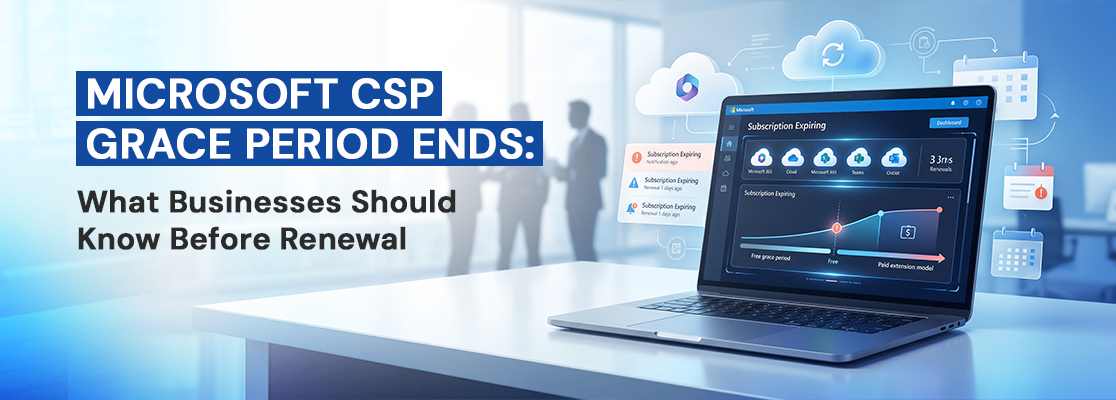
Table of Contents
- What Is the Microsoft 365 CSP Grace Period and Why Is It Going Away?
- What Is the Extended Service Term (EST)?
- What Are the Three Options for Microsoft 365 Renewal?
- Which Subscriptions Are Affected?
- What Should Dubai Businesses Do Right Now?
- How GS IT Helps Businesses Stay on Top of This
- Key Takeaways
Microsoft 365 Cloud Solution Provider (CSP) helps businesses manage Microsoft 365 subscriptions, CSP billing, and support through a single partner. Starting May 4, 2026, a major update will impact all Microsoft 365 CSP users and change how Microsoft 365 license renewal 2026 is handled. Microsoft is removing the 30-day free grace period for non-renewed Microsoft 365 subscriptions. These changes impact all Microsoft 365 Business plans, including Business Basic, Business Standard, Business Premium, and Microsoft 365 Enterprise licenses like E3, E5, and F3.
If your Microsoft subscription is not renewed on time, Microsoft 365 services can stop immediately. This can affect your emails, files, and daily work. To continue services after expiry, businesses will need to choose the paid Extended Service Term (EST) making timely Microsoft renewal more important than ever.
At GS IT, we help businesses stay ahead of the Microsoft 365 CSP renewal policy update and avoid disruption and unnecessary expenses. This blog explains the Microsoft 365 CSP grace period removal and the Extended Service Term (EST) and the key steps businesses should take before their next Microsoft renewal date.
What Is the Microsoft 365 Grace Period and Why Is It Going Away?
The Microsoft 365 CSP grace period was a 30-day buffer period that kept a subscription active after its end date, at no additional charge. It gave IT teams and finance departments a comfortable window to process renewals without any immediate disruption to users or services. For many businesses, it was simply part of how Microsoft licensing worked.
That free buffer no longer exists. From May 2026, Microsoft has made a fundamental change to how Microsoft CSP subscriptions behave at the end of their term. The 30-day free grace period has been removed, and in its place, Microsoft has introduced Extended Service Terms, a paid continuation option. The change applies to subscriptions purchased or renewed on or after April 1, 2025, that expire on or after May 4, 2026.
The reason behind this shift is straightforward, Microsoft wants end-of-term management to be more deliberate and predictable across its partner ecosystem. If a service is being used, it should be paid for. The ambiguity of a free buffer period is being replaced with clear, structured choices.
What Is the Microsoft Extended Service Term (EST)?
The most common question businesses are asking right now is: what is Microsoft Extended Service Term, and how does it work in practice?
The Microsoft Extended Service Term or Microsoft EST CSP is a paid continuation of a subscription that kicks in automatically when a CSP subscription expires without being renewed or explicitly cancelled. Think of it as the paid replacement for the old free grace period. The service keeps running without interruption, but it is now billed monthly with an added cost premium.
Here is how the EST price premium breaks down:
-
3% markup on the current monthly rate if a monthly plan already exists for that subscription.
-
23% markup on the current monthly rate, if no monthly plan exists (i.e., the subscription was on an annual commit only).
The service itself does not change while in EST. Users retain full access to their Microsoft 365, Teams, or whatever product is involved. The only difference is how it is being billed.
One important constraint to note is that while a subscription is in EST, you cannot make changes to it, no adding seats, no upgrading plans, no adjustments to the license count. It is locked at the configuration it had when it expired. If you need to make any changes, you will need to exit EST either by renewing into a new subscription or cancelling and starting fresh.
For businesses managing multiple products from Microsoft Office 365 to Dynamics 365 and Microsoft 365 Business plans, the EST change makes subscription management and cloud licensing more critical than ever. This applies across different Microsoft 365 Business plans (Basic, Standard, Premium) and Microsoft 365 Enterprise licenses like E3, E5 and F3 used by teams across the organization. Knowing exactly what you have, when it renews, and what each license costs is no longer optional. It is now an important part of managing your Microsoft office license properly.
What Are the Three Options for Microsoft 365 Renewal?
At the end of every Microsoft 365 CSP subscription term, businesses now have three clearly defined paths. Understanding each one helps you make the right call for each license in your portfolio.
Automatic Renewal
With CSP auto-renewal settings enabled, the subscription simply renews its expiry date at the agreed rate, and services continue without any interruption. For any product, your business relies on day-to-day, such as Office 365, this is the cleanest and most cost-effective option. No markup, no action required, no risk of service disruption.
Extended Service Terms (EST)
If auto-renewal is turned off and no cancellation is set, the subscription will automatically move into the Extended Service Term (EST) when it expires. This is part of the Microsoft CSP end-of-term process that has replaced the earlier free grace period. EST keeps your services active, but at a higher cost. It is meant to be a short-term, planned option, not a default setting. If CSP renewal settings are not monitored regularly, businesses may end up in EST without realizing it, which is a common issue we often see.
Cancel at End of Term
Under the Microsoft NCE cancellation policy, if auto-renewal is turned off and a subscription is set to cancel, access stops immediately when the term ends. There is no grace period or Extended Service Term (EST) option. This is suitable for licenses you no longer need, but it must be planned. If cancellation settings are missed or applied by mistake, it can lead to sudden and avoidable disruption of Microsoft services for your team.
Which Subscriptions Are Affected?
This change covers most license-based Microsoft cloud subscriptions sold through the Microsoft CSP programme, including:
- Microsoft 365 (including Microsoft 365 Business Basic, Business Standard, Business Premium, and Microsoft 365 Enterprise licenses like E3, E5 and F3)
- Dynamics 365
- Power Platform (Power BI Pro, Power Apps, Power Automate)
- Windows 365
- Any other per-user or per-device subscription with a fixed renewal cycle
It does not apply to:
- Azure consumption-based services
- One-time purchases such as perpetual software licenses
- Azure Reservations or Savings Plans
In simple terms, if it is a Microsoft 365 subscription or Office 365 subscription that used to benefit from the 30-day grace period, it is now subject to these new rules. If it is a usage-based or one-time transaction with no renewal cycle, it is not affected.
What Should Dubai Businesses Do Right Now?
The Microsoft CSP grace period 2026 change does not need to cause disruption if you take a few deliberate steps. At GS IT, here is what we recommend to every client as part of their renewal planning:
1. Audit all your Microsoft CSP subscriptions: Pull a list of every license you hold, its renewal date, and its current auto-renew status. This is the single most important thing you can do right now. Many businesses discover licenses they had forgotten about, and this is a suitable time to remove anything no longer in use.
2. Decide in advance what you want to do with each subscription: For every license, make a deliberate choice: renew, cancel, or intentionally extend via EST as a short-term bridge. Do not let any subscription drift into EST by default without knowing it.
3. Set your renewal preferences early: If you want to auto-renew, make sure auto-renewal is switched on. If you want to cancel, set that explicitly before the expiry date. The new policy means the default outcome when nothing is done is EST, which carries a cost premium.
4. Put renewal dates in your calendar: A simple internal reminder 30 to 45 days before each subscription expiry date gives your team enough time to review and act without any last-minute pressure.
5. Talk to your Microsoft CSP partner: If you work with a partner to manage your Microsoft licenses, now is the time to have a proactive conversation about how renewals are being tracked. A good partner should already be flagging upcoming renewal dates and helping you make informed decisions about each license.
One area business often overlooks is Office 365 billing specifically, how charges shift when a subscription transitions to EST. What was previously billed as a flat annual amount now becomes a monthly charge with a markup. Keeping a close eye on your Microsoft office license invoices each month is a simple but effective way to catch any unintended EST transitions early.
How GS IT Helps Businesses Stay on Top of This
At GS IT, we manage Microsoft CSP renewals for businesses across Dubai and the UAE. When a change like this comes through, our job is to make sure our clients understand it clearly and are not caught off guard by it.
We review your Microsoft licensing setup in advance, track upcoming renewal dates, and help you choose the right option for each subscription. This could mean enabling auto-renewal, using the Extended Service Term (EST) as a short-term extension, or adjusting the number of licenses during renewal to better match your needs. We also explain how the Microsoft 365 data retention policy 2026 affects you when a subscription is cancelled or expires, so your data stays protected and nothing is lost due to an accidental lapse.
The Microsoft CSP grace period May 2026 update changes the rules, but it does not have to change the experience for your business. With GS IT managing your Microsoft 365 and enterprise Microsoft Cloud Solution Provider renewal options, your licenses stay current, your services stay on, and your team stays productive without any surprises.
Key Takeaways
- The Microsoft 365 CSP grace period has ended: From May 2026, there is no free 30-day buffer after expiry. Subscriptions must be renewed before their end date to avoid service gaps.
- EST replaces the free grace period: The Microsoft Extended Service Term keeps services running after expiry but adds EST price premium depending on your plan type.
- Three end-of-term options now apply: Auto-renewal, Extended Service Term (EST), or cancel expiry under the Microsoft NCE cancellation policy, each outcome must be set deliberately.
- CSP auto-renewal settings matter more than ever: If auto-renewal is off and no cancellation is set, your subscription moves into EST automatically. Check your settings now.
- Most Microsoft 365 and Dynamics 365 licenses are in scope: All license-based CSP subscriptions purchased or renewed from April 1, 2025, and expiring from May 4, 2026, are affected by the Microsoft CSP renewal changes 2026.
- Audit early, act early: Review your full subscription list, confirm renewal preferences, and engage your CSP partner before the next expiry date arrives.
Connect with GS IT today and let us ensure your Microsoft 365 environment is in the right shape before your next renewal date. From Microsoft office license management to Office 365 subscription renewals, we make subscription management simple so you can focus on running your business.



-
Address
GS IT (Global Surf IT Infrastructure)
SIT Tower, Dubai Silicon Oasis
P.O. Box 13653, Dubai, UAE -
Working Hours
Monday - Friday : 8.30am to 5.30pm
Remote Support : Available 24/7
-
Call Us
+971 4 578 6518
-
Mail Us
hello@gs-it.ae
Post a Comment