

20 Jul 2026

Passwordless Authentication vs MFA: What is Next for Business Security?
 by Admin
 0 Comment
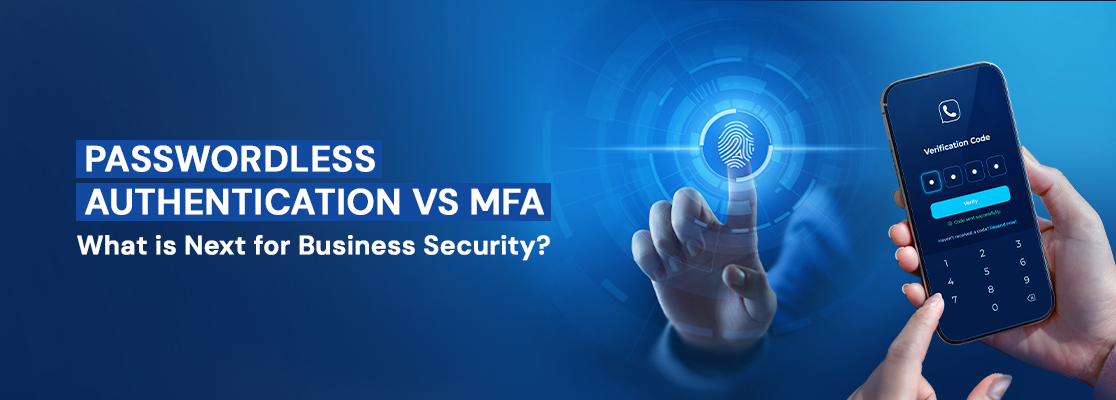
Table of Contents
- Understanding Passwordless Authentication and MFA
- How Passwordless Authentication and MFA Works
- Benefits of Passwordless Authentication and MFA for Businesses
- Passwordless Authentication vs MFA: What's the Difference?
- When to Choose Passwordless Authentication or MFA
- How to Implement Passwordless Authentication Successfully
As organizations embrace digital transformation, enterprise cybersecurity has become a defining business security trend, making secure user identities more important than ever. Traditional passwords are increasingly vulnerable to phishing attacks, credential theft, and poor password hygiene, prompting businesses to rethink how users access their applications and data. Passwordless authentication has emerged as a secure and user-friendly alternative, while Multi-Factor Authentication (MFA) continues to play a crucial role in strengthening access security.
Choosing the right authentication approach, however, is not always straightforward. The ideal solution depends on your organization's security requirements, user experience expectations, compliance needs, and existing IT infrastructure. Understanding how passwordless authentication works, the different methods available, and how it compares to MFA can help you make an informed decision that balances security with convenience. This blog explores these key aspects and highlights the considerations businesses should keep in mind when building a modern authentication strategy. At GS IT, we help organizations implement modern authentication solutions that strengthen security, simplify user access, and support long-term digital transformation.
Understanding Passwordless Authentication and MFA?
Authentication is the process of verifying a user's identity before granting access to applications, systems, or sensitive data. As cyber threats continue to evolve, organizations are adopting more secure authentication methods beyond traditional passwords. Two of the most prominent approaches are Passwordless Authentication and Multi-Factor Authentication (MFA). Both are designed to strengthen enterprise identity security, minimize the risk of unauthorized access and account takeover, and provide secure employee access with a safer login experience.
Passwordless authentication eliminates the need for passwords by using biometric authentication, passkeys and FIDO2, hardware security keys, or authenticator apps based on modern web authentication standards. MFA, on the other hand, enhances security by requiring users to verify their identity through two or more authentication factors, such as a password combined with a one-time passcode or biometric verification. While both approaches improve security, they differ in their implementation, user experience, and protection against modern cyber threats. Understanding these differences is essential for selecting the authentication strategy that best aligns with your organization's security and business objectives.
How Passwordless Authentication and MFA Works
Multi-Factor Authentication (MFA) verifies a user's identity by requiring two or more authentication factors before granting access. These factors typically include something the user knows (such as a password or PIN), something the user has (such as a mobile device, security key, or authenticator app), and something the user is (such as a fingerprint or facial recognition). While MFA significantly improves security, organizations should also address challenges such as MFA fatigue and SIM swapping risks, particularly when relying on SMS-based verification. This layered approach significantly reduces the risk of unauthorized access, even if a password is compromised.
Passwordless Authentication removes the need for traditional passwords and instead verifies a user's identity using trusted methods such as passkeys, biometrics, FIDO2 security keys, magic links, or authenticator apps. Most modern passwordless solutions rely on public-key cryptography and device-bound credentials, making them highly effective for phishing resistant authentication and reducing credential theft. During sign-in, the server verifies the user's identity without transmitting passwords or shared secrets over the network, making passwordless authentication highly resistant to phishing, credential theft, and password-based attacks. In many implementations, unlocking the device with a biometric or PIN provides an additional verification factor, allowing passwordless authentication to deliver both convenience and strong security.
Benefits of Passwordless Authentication and MFA for Businesses
Passwordless authentication benefits:
- Eliminates Password-Related Threats: Reduces the risk of phishing, password theft, credential stuffing, account takeover, and password reuse while improving overall cyber threat prevention.
- Improves User Experience: Enables faster, frictionless logins through biometrics, passkeys, or security keys without requiring users to remember passwords.
- Lowers IT and Help Desk Costs: Minimizes password reset requests and reduces the administrative burden associated with password management, improving operational efficiency.
MFA benefits:
- Enhances Account Security: Adds an extra layer of protection by requiring multiple verification factors, making it harder for attackers to gain unauthorized access.
- Reduces the Risk of Credential-Based Attacks: Even if a password is stolen, attackers still need an additional authentication factor to access the account.
- Supports IT Infrastructure Compliance: Helps organizations meet security and regulatory requirements such as GDPR, HIPAA, PCI DSS while strengthening workplace data protection.
Passwordless Authentication vs MFA: What's the Difference?
At its core, the difference comes down to what each approach does with the password: MFA keeps it and reinforces it, while passwordless removes it entirely. Here's how the two compare side by side:
|
Feature |
Passwordless Authentication |
Multi-Factor Authentication (MFA) |
|---|---|---|
|
How It Works |
Authenticates users without a password using biometrics, passkeys, or security keys. |
Verifies users with two or more authentication factors, usually a password plus another verification method. |
|
Password Requirement |
Does not require a password. |
Usually requires a password along with an additional factor. |
|
Security |
Protects against phishing, password theft, and credential reuse by eliminating passwords. |
Adds an extra layer of security but can still be vulnerable if passwords are compromised. |
|
User Experience |
Provides a faster, more secure passwordless login experience. |
Requires an additional verification step, which may take slightly longer. |
|
Best For |
Businesses looking for a secure, password-free login experience. |
Organizations that need extra identity verification for sensitive systems and compliance. |
|
Business Value |
Reduces password management costs and improves productivity. |
Strengthens access security without replacing existing password-based systems. |
When to Choose Passwordless Authentication or MFA
The choice between Passwordless Authentication and Multi-Factor Authentication (MFA) depends on your organization's security goals, IT infrastructure, and user experience requirements. While both improve identity security, they serve different purposes and can even complement each other.
- Choose Passwordless Authentication if your goal is to eliminate passwords, reduce phishing and credential-based attacks, and provide users with a faster, frictionless login experience. It is ideal for organizations adopting modern authentication technologies such as passkeys and FIDO2, biometrics, FIDO2 authentication, and hardware security keys within a Zero Trust Architecture.
- Choose MFA if your organization still relies on password-based systems but wants to add an extra layer of security. MFA is well-suited for protecting legacy applications, meeting compliance requirements, and securing access to sensitive resources without completely replacing existing authentication methods.
- Consider using both together for the strongest security. Many organizations implement passwordless authentication for everyday access while using AI powered adaptive authentication for high-risk logins and privileged accounts. Combined with Single Sign On (SSO), this approach strengthens corporate network security and improves user productivity.
How to Implement Passwordless Authentication Successfully
Rolling out passwordless authentication works best as a phased process. At GS IT, we recommend a phased approach to implementing passwordless authentication to minimize disruption while maximizing security and user adoption.
Assess Your Security Requirements
Identify your organization's security goals, compliance requirements, and the applications or systems that will use passwordless authentication.
Choose the Right Authentication Method
Select a passwordless method that aligns with your business needs, such as passkeys, biometrics, FIDO2 security keys, or authenticator apps.
Integrate with Your Identity Platform
Ensure the passwordless solution integrates seamlessly with your Identity and Access Management (IAM) platform, Single Sign On (SSO) services, cloud applications, VPNs, and on-premises resources.
Pilot the Deployment
Test the solution with a small group of users before rolling it out organization wide. This helps identify usability issues and compatibility challenges early.
Educate Users and Plan Recovery Options
Train users on the new sign-in process and establish secure account recovery methods to minimize disruptions if users lose access to their authentication device.
Monitor and Optimize Continuously
Track authentication activities, monitor user behavior through behavioral biometrics, review security policies regularly, and follow evolving cybersecurity best practices to strengthen enterprise cybersecurity.
As authentication technologies continue to evolve, businesses must adopt solutions that balance strong security with a seamless user experience. GS IT helps organizations design and implement modern identity and access management solutions, including passwordless authentication and MFA, to protect critical business resources while supporting compliance and future growth.

-
Address
GS IT (Global Surf IT Infrastructure)
SIT Tower, Dubai Silicon Oasis
P.O. Box 13653, Dubai, UAE -
Working Hours
Monday - Friday : 8.30am to 5.30pm
Remote Support : Available 24/7
-
Call Us
+971 4 578 6518
-
Mail Us
hello@gs-it.ae
Post a Comment